


Paramount+
4.1217.96K Reviews
App Specs
- Version
- 17.1.0
- Updated On
- License
- Free
- Downloads
- 10,000,000+
- Developer
- CBS Interactive, Inc.
- Categories
- Entertainment
- Platform
- Android, iOS
Screenshots
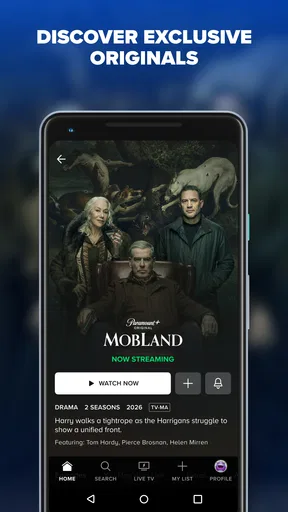
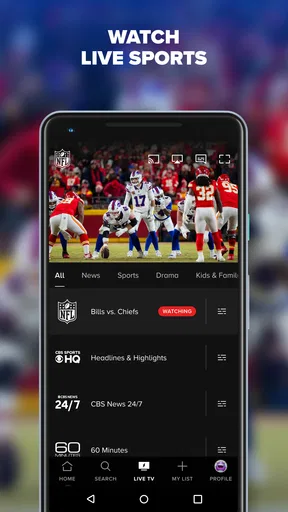
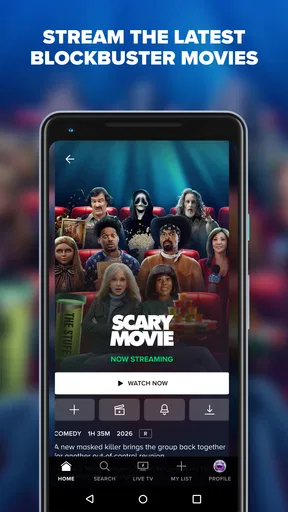

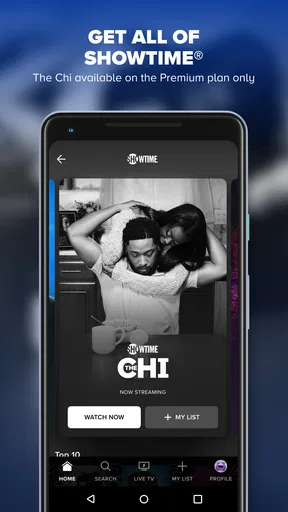
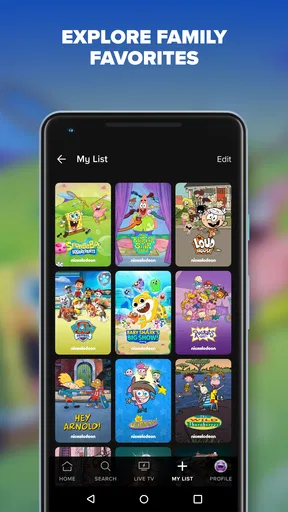
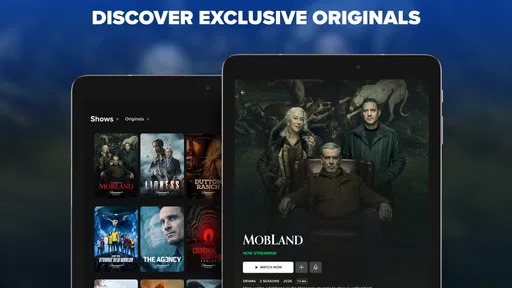
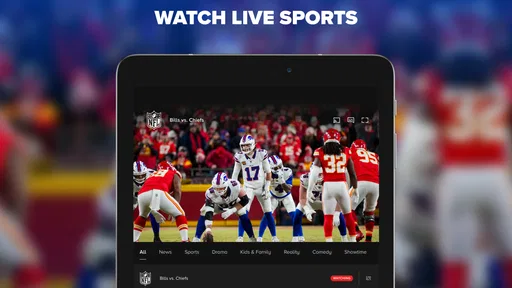
 Analysis by AppCompare
I tend to get the most out of a streaming app when I treat it less like a channel guide and more like a place to make a few reliable viewing decisions. With Paramount+, that means starting with a clear idea of whether I want a series, a film, or something live, then using the search and browsing tools to narrow the options. It is an entertainment app from CBS Interactive, Inc., and its mix of on-demand viewing and live sports gives it a slightly different rhythm from services built mainly around one kind of catalog.
A viewing routine that saves time
My practical starting point is to search for a specific title when I already know what I want, and browse by genre when I do not. That sounds simple, but it avoids a common streaming trap: scrolling through rows of suggestions until the evening disappears. If I am choosing with other people, I find it useful to agree on the type of watch first—something short, a film, or a longer series—before opening the app. Then the catalog feels more manageable rather than like an endless queue.
For a familiar show, I use search to get to the title directly rather than relying on a featured row to surface it. For a less planned night, genre browsing gives me a way to explore without committing to a particular series. The distinction matters: search is the faster route when I have a name in mind, while browsing is better when I am open to being surprised. I would not expect either approach to solve every discovery problem, but they make the choice feel more intentional.
Small choices that improve the experience
Before settling in, I check the app’s available playback and account settings rather than assuming every viewing preference is already set the way I want. Streaming services can make the same title feel different depending on whether I am watching casually on a phone or putting it on a larger screen, so I take a moment to confirm the setup that applies to my device and account. I also keep subscription details in mind: Paramount+ is free to download, but access to its entertainment catalog is tied to paid options and in-app purchases range from $1.00 to $139.99 per item.
A useful habit is to decide whether I am opening the app for live viewing or for something I can watch on demand. A game or other live event has a different time pressure from a film, so I do not leave that choice until after I have spent several minutes browsing. For a planned evening, I search and choose beforehand; for an unplanned break, I am happier to browse. That small change helps me avoid treating live sports like just another title in a watch-later pile.
Where it fits—and where it may not
Paramount+ makes most sense for someone who will use more than one part of its offering: familiar television, films, and live sports. It has a 4.1 average from around 475,000 ratings, and it has passed 10 million installs, so it is clearly a well-established option rather than a niche experiment. The app is rated Teen, and the current version is 16.4.0; it requires Android 7.0 or later. Those details matter if you are choosing it for a household or checking whether an older device can run it.
Compared with a service that concentrates on a single studio’s shows, its appeal is the combination of different viewing types in one place. Compared with a broad general-purpose streaming app, the deciding question is whether the titles and live programming you care about are here. Catalogs and plans can change, so I would check the current subscription choices and the specific shows or events you want before paying. If you mainly want one particular series, a different service may be better value; if you like switching between a film, an episode, and live sport, this mix is more compelling.
Worth Reading Before You Choose

EA SPORTS FC Mobile 26 Is a Bigger Football Game, but It Takes Time

Flipboard Shows What News Apps Must Do Beyond the Feed

Switching to Android Auto Means Rethinking Your Driving Routine

Google Calendar Makes a Crowded Week Easier to Manage

Ludo King Makes the Most of the Minutes Between Plans

Baby Panda World Brings Quick Play to Modern Phones, but Its Game Library Feels Busy
The Streaming Experience
First off, let’s talk about the user interface. The Paramount+ app is sleek and user-friendly, which is a big win in my book. You know how some apps make you feel like you're deciphering a cryptic code just to find the latest episode of your favorite show? Yeah, none of that here. Everything is laid out clearly, and the search function actually works!
Once you dive in, you’ll notice a vast library of content. From classic hits like "Star Trek" and "The Twilight Zone" to new releases that get you hooked from episode one, there's something for everyone. And speaking of new, the app regularly updates its catalog, so you're never really bored. Trust me, I’ve spent a good few weekends binge-watching without a single moment of regret.
Content Variety
What’s really cool is the variety of genres available. Whether you're into drama, comedy, or action, there’s a little bit of everything. They even have live sports! I caught a few games, and the streaming quality was top-notch. No buffering or awkward pauses – just smooth sailing all the way.
Oh, and for all you movie buffs out there, the film selection is quite impressive too. It's like having a mini cinema right in your pocket. Grab some popcorn, and you’re good to go!
Pricing and Plans
Now, let's talk about the moolah. The subscription plans are pretty flexible. There’s the essential plan if you don't mind a few ads here and there, and a premium option if you're all about that ad-free life. It's nice to have options, especially when you're trying to stick to a budget. Plus, they often offer free trials, so you can test the waters before diving in headfirst.
Practical limits before you commit
For a realistic weekday use case, I might open the app during dinner, search for a film everyone can agree on, and save live viewing for a time when I can actually watch an event as it happens. That split keeps the app useful across different moods without assuming every night calls for a long binge. If I am sharing the choice with someone else, I settle on a genre first and use search only after we have a short list. It is a small routine, but it reduces the familiar problem of spending more time choosing than watching.
The main trade-off is that a large catalog is only valuable when it matches your tastes and the plan you are willing to pay for. I would not subscribe solely because the app has a lot of titles or because live sports appear alongside films; I would first check whether the specific shows, movies, and events I care about are currently available. Someone who watches only occasional movies may be better served by renting a particular title or using a different service they already pay for. Someone who wants a regular mix of series and live programming has a stronger reason to keep this one in their rotation.
For households, I would also make the age rating part of the decision rather than assuming all entertainment in one app is suitable for every viewer. The Teen rating is a helpful broad cue, not a replacement for checking whether an individual title fits the people watching. Likewise, if an older Android phone is involved, checking the operating-system requirement before installing avoids discovering a compatibility issue when you are ready to watch. These are mundane checks, but they make the difference between a convenient evening and last-minute troubleshooting.
Who will get the most from it
I would recommend trying it if you already have a few Paramount+ titles in mind, enjoy moving between television and films, or genuinely expect to use its live sports. It is less convincing for someone who wants a single narrow genre, rarely watches video, or is trying to minimize recurring subscriptions. In that case, rotating services—subscribing only when a particular show or event is worth watching—can be more sensible than keeping another app active all year. The right choice depends on viewing habits, not on the size of a catalog in isolation.
One question people often have is whether downloading the app means the content is free. It does not: the app itself costs nothing to get, while viewing options depend on the available subscription or purchase choices. Another sensible question is whether there is enough to watch beyond one favorite franchise. The combination of series, movies, and live sports gives it more than one use, but I would still browse the current selection before committing. The app’s audience is substantial—its reviews number around 203,000—which can be reassuring as a sign that many people use it, though popularity does not guarantee that its catalog suits your preferences.
Content Variety
What’s really cool is the variety of genres available. Whether you're into drama, comedy, or action, there’s a little bit of everything. They even have live sports! I caught a few games, and the streaming quality was top-notch. No buffering or awkward pauses – just smooth sailing all the way.
Oh, and for all you movie buffs out there, the film selection is quite impressive too. It's like having a mini cinema right in your pocket. Grab some popcorn, and you’re good to go!
Pricing and Plans
Now, let's talk about the moolah. The subscription plans are pretty flexible. There’s the essential plan if you don't mind a few ads here and there, and a premium option if you're all about that ad-free life. It's nice to have options, especially when you're trying to stick to a budget. Plus, they often offer free trials, so you can test the waters before diving in headfirst.
A measured recommendation
My verdict is that Paramount+ is most rewarding when I use it deliberately: I search for a known title, browse when I want discovery, and treat live sports as a separate, time-sensitive reason to open the app. That approach makes the selection feel more useful and helps me judge whether the subscription earns its place alongside the other services I use. I would not call it an automatic choice for every viewer, but it is an appealing option for someone who will actually move among its different kinds of entertainment.
Before subscribing, I would check the current plan terms and confirm that the particular content I want is available in my region and on my device. Then I would decide whether I am likely to return for more than one show or event. If the answer is yes, the mix can make Paramount+ a convenient part of a regular viewing routine; if not, waiting until a specific title catches my eye is the more practical move. That is the balance I would recommend to a friend: enjoy the breadth, but pay for it only when it fits the way you really watch.
Pros
- Extensive library of popular shows
- Exclusive original content available
- User-friendly interface design
- Offline download for mobile viewing
- Multiple profile support for families
Cons
- Limited availability outside the US
- Ads on some subscription tiers
- Occasional streaming quality issues
- Frequent content rotation
- No free trial for new users
FAQs for Paramount+
What content is available on Paramount+?
Paramount+ offers a diverse range of content including popular TV shows, movies, live sports, and exclusive originals. Subscribers can enjoy CBS shows, classics like "Star Trek," and new content like "1883." Additionally, the platform hosts a variety of genres, ensuring there’s something for everyone, from kids' programming to reality TV.
Can I download shows and movies to watch offline?
Yes, Paramount+ allows subscribers to download select shows and movies for offline viewing. This feature is available on mobile devices, making it convenient for users to watch their favorite content without an internet connection. However, the availability of downloadable content may vary and is subject to licensing agreements.
Is there a free trial available for Paramount+?
Paramount+ typically offers a free trial period for new subscribers. The duration of the trial can vary, but it generally ranges from 7 to 30 days. This trial allows users to explore the platform’s offerings before committing to a subscription. Be sure to check the terms and conditions on their official website for the latest trial offers.
What devices are compatible with Paramount+?
Paramount+ is accessible on a wide range of devices including smartphones, tablets, smart TVs, streaming devices like Roku and Amazon Fire TV, gaming consoles, and web browsers. This compatibility ensures that users can enjoy their favorite content anywhere, whether at home or on the go. Regular updates may expand device compatibility further.
Are there parental controls available on Paramount+?
Yes, Paramount+ offers parental controls to help manage the content accessible to children. Parents can set restrictions on certain content types and create separate profiles for kids, ensuring a safe viewing experience. The platform's user-friendly interface makes it easy for parents to configure these settings to suit their family’s needs.


